> For the complete documentation index, see [llms.txt](https://faq.declarecripto.com.br/llms.txt). Markdown versions of documentation pages are available by appending `.md` to page URLs; this page is available as [Markdown](https://faq.declarecripto.com.br/tutoriais-sobre-extracao-de-dados-e-criptomoedas/carteiras-redes-blockchain/rabby-wallet.md).
# Rabby Wallet
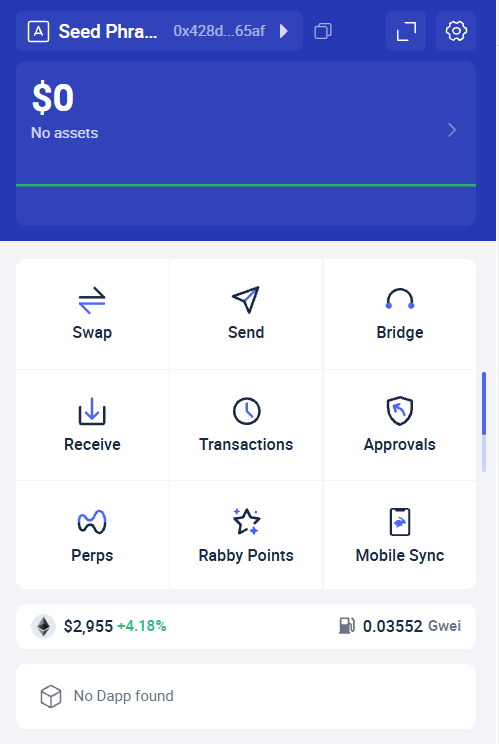
1. Abra a extensão da Rabby Wallet no seu navegador, ou no app
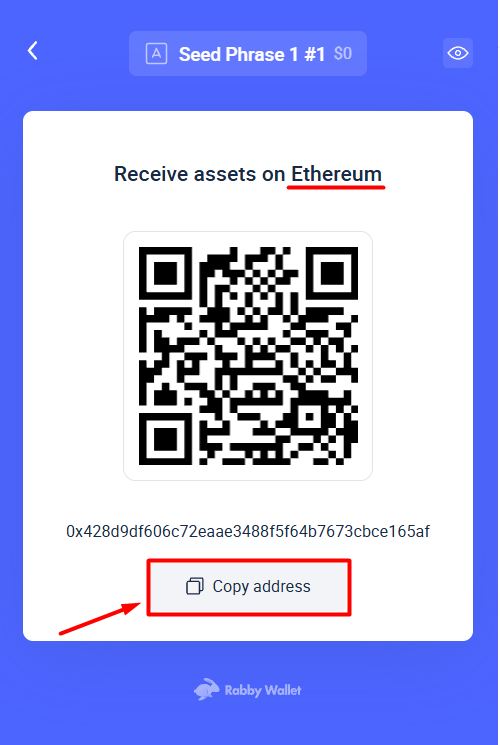
2. Clique em **"Receive"** para visualizar as chaves públicas de cada uma das redes blockchain na carteira.
3. Copie o endereço da rede blockchain que você deseja cadastrar e cole na plataforma Declare Cripto, através da seção "Minhas Carteiras -> Redes Blockchain" e escolhendo a rede que deseja cadastrar.
Obs: Mesmo que o endereço seja o mesmo, você deve cadastrar cada uma das redes blockchain que utilizou na carteira.\
Uma dica é utilizar o site para verificar todas as redes EVM com as quais você interagiu.