> For the complete documentation index, see [llms.txt](https://faq.declarecripto.com.br/llms.txt). Markdown versions of documentation pages are available by appending `.md` to page URLs; this page is available as [Markdown](https://faq.declarecripto.com.br/tutoriais-sobre-extracao-de-dados-e-criptomoedas/corretoras-api-e-extratos/binance/binance-wallet-web3.md).
# Binance Wallet (Web3)
A Binance possui uma Wallet dentro do aplicativo da Corretora, as operações nessa wallet não fazem parte das transações da Binance, e é considerada uma carteira descentralizada comum, como Metamask, Trezor e Ledger.
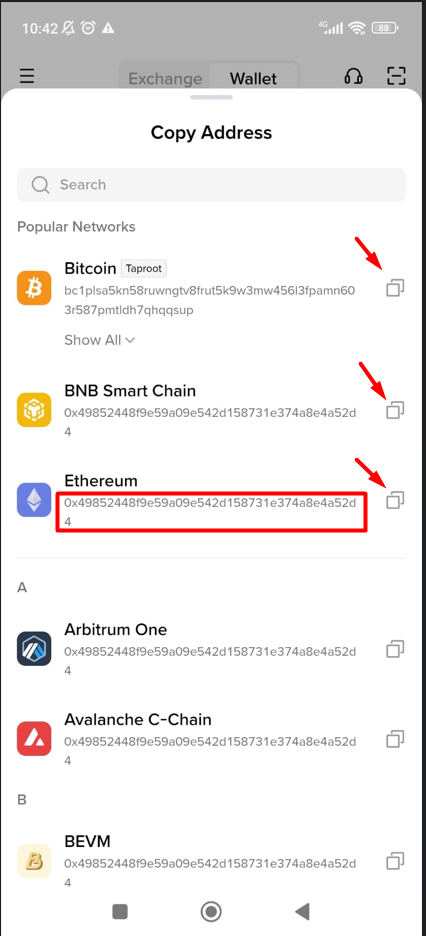
1. Para cadastrar a sua Binance Wallet na plataforma Declare Cripto, vamos precisar dos **endereços das redes blockchains** utilizadas na carteira (**chaves públicas**).
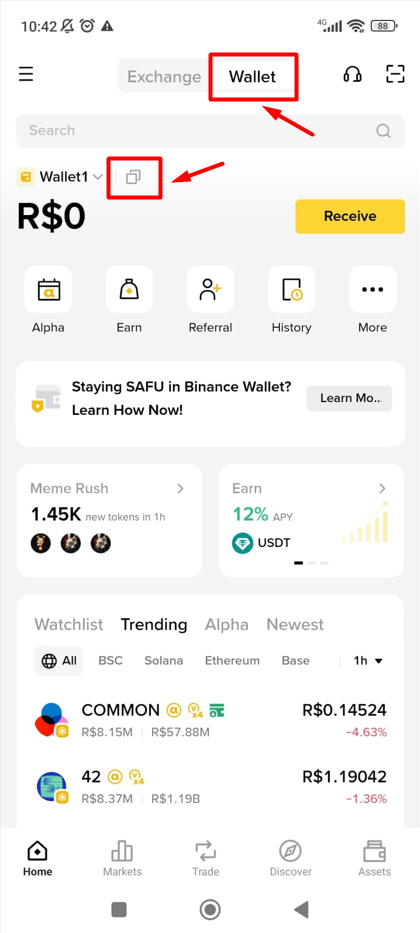
2. Acesse seu aplicativo da Binance, e clique em **\[Wallet]**, e em seguida no ícone de \[**Copiar**] 
3. Copie o endereço da rede Blockchain que você utiliza na carteira, e cole na plataforma Declare Cripto, através da seção **\[Carteiras] -> \[Redes Blockchain]**.
4. Como verificar em qual Rede Blockchain meus ativos estão custodiados?
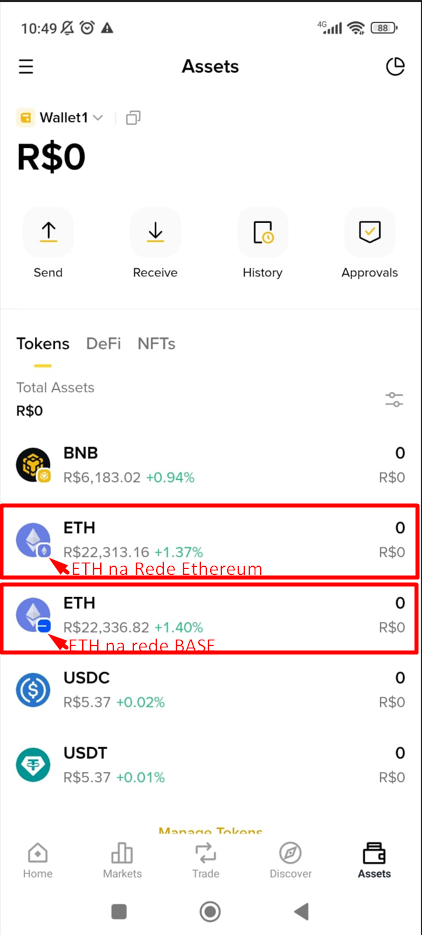
1. Cada ativo pode ter compatibilidade com Redes Blockchain diferentes. Importante verificar em qual rede seus ativos estão custodiados. É necessário cadastrar todas as redes utilizadas.
2. Na aba "Ativos" você consegue verificar no ícone maior os ativos, e no ícone menor, a rede Blockchain.
3. Exemplo: