> For the complete documentation index, see [llms.txt](https://faq.declarecripto.com.br/llms.txt). Markdown versions of documentation pages are available by appending `.md` to page URLs; this page is available as [Markdown](https://faq.declarecripto.com.br/tutoriais-sobre-extracao-de-dados-e-criptomoedas/corretoras-api-e-extratos/bipa.md).
# BIPA
## Como emitir meu Histórico de Transações na BIPA?
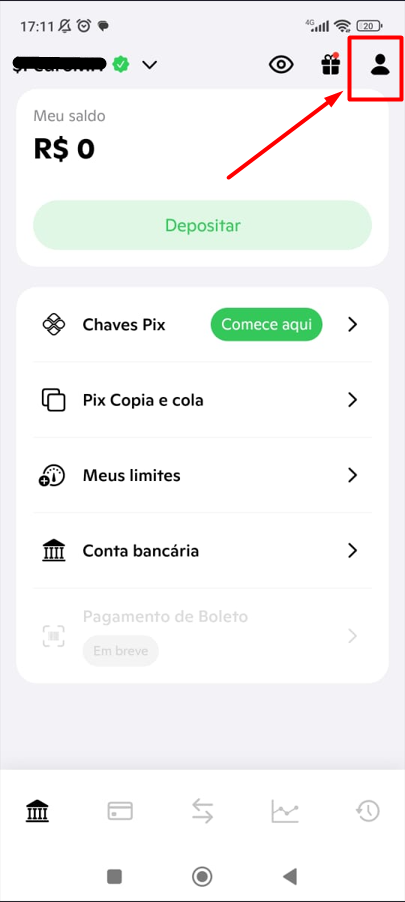
1. Faça login no APP da BIPA, e clique no ícone do **\[Perfil],** no canto superior direito.
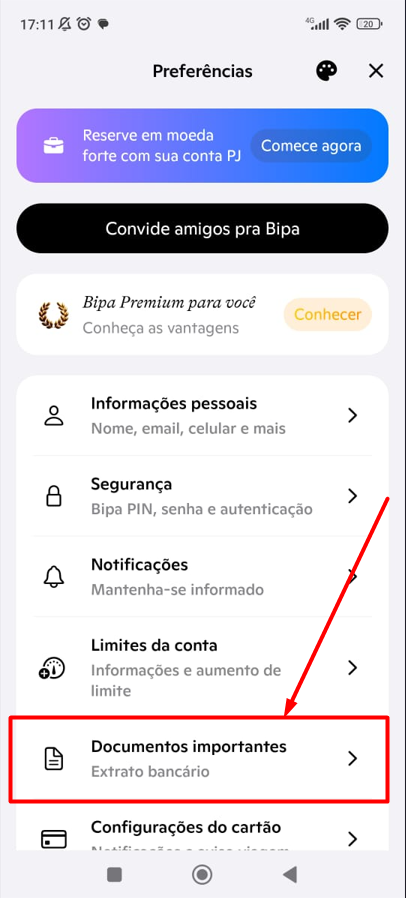
2. No menu "Preferências", selecione a opção **\[Documentos Importantes]**.
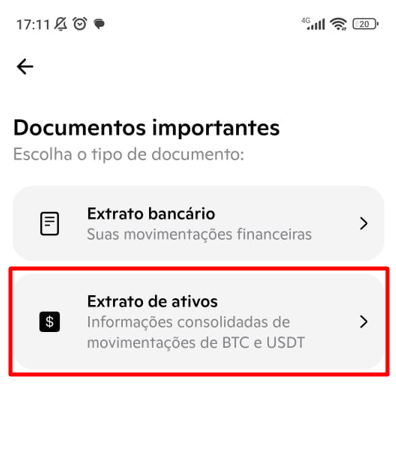
3. Selecione a opção **\[Extrato de ativos]**.
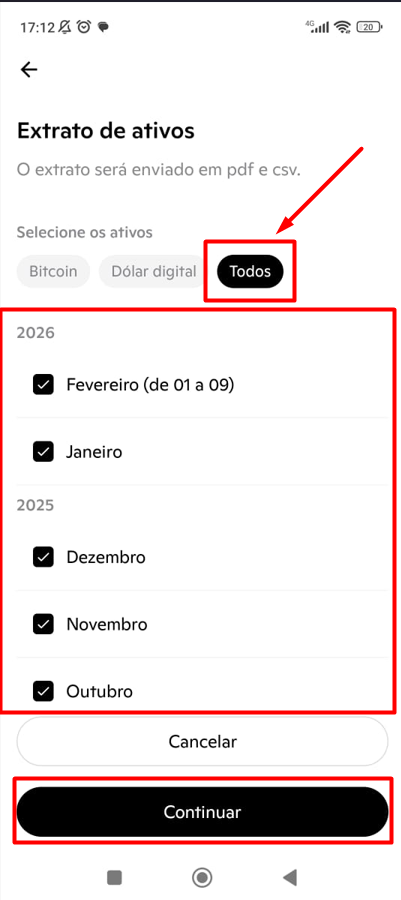
4. Na página "Extrato de ativos", selecione os ativos **\[Todos]** e em segui escolha os meses que devem compor o seu arquivo.\
Importante: O máximo são **12 meses por arquivos**, e precisamos dos arquivos completos, **desde a abertura da conta**.
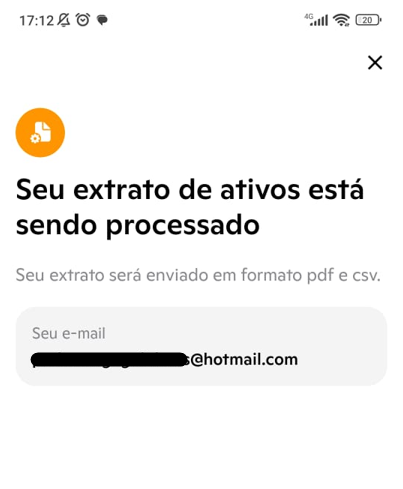
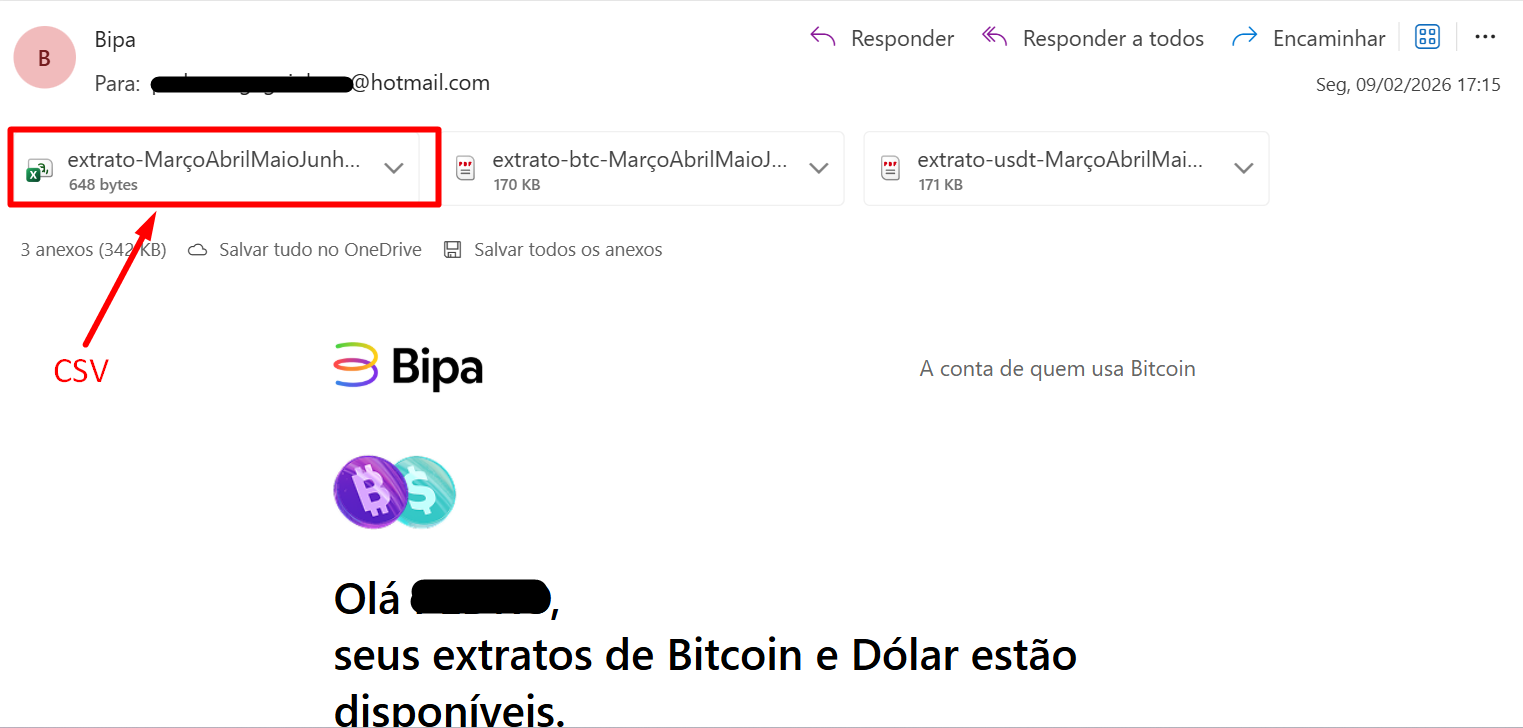
5. Seu arquivo será gerado, e enviado por e-mail. Precisamos do arquivo no **formato CSV *****(Arquivos de valores separados por vírgula)***.
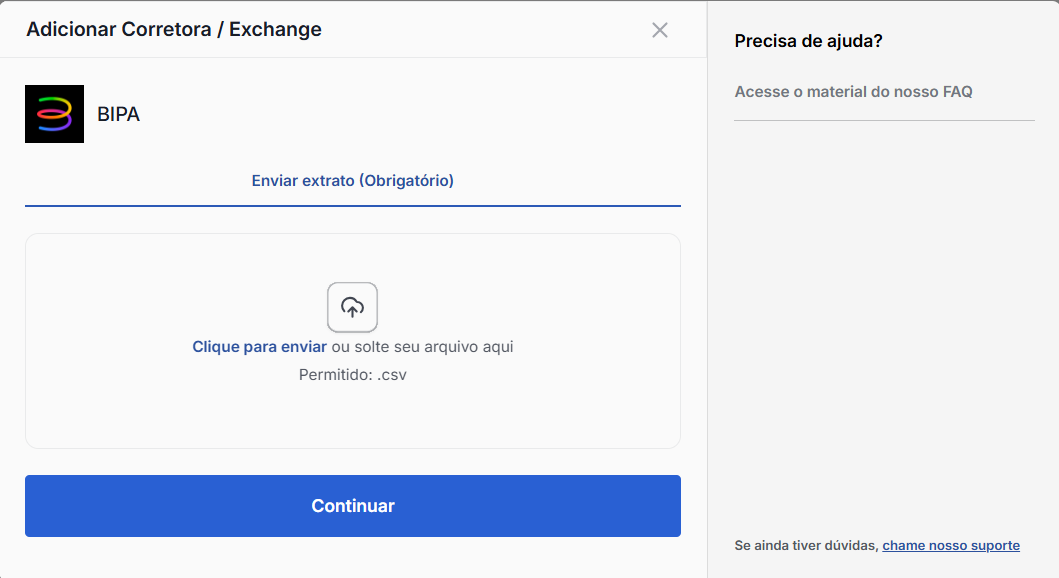
6. Depois de baixar o arquivo CSV, basta enviar o mesmo na plataforma Declare Cripto, através do menu **"Carteiras" -> "Adicionar Carteira" -> "BIPA"**.