# Como criar uma chave API na Coinex? (Obrigatório)

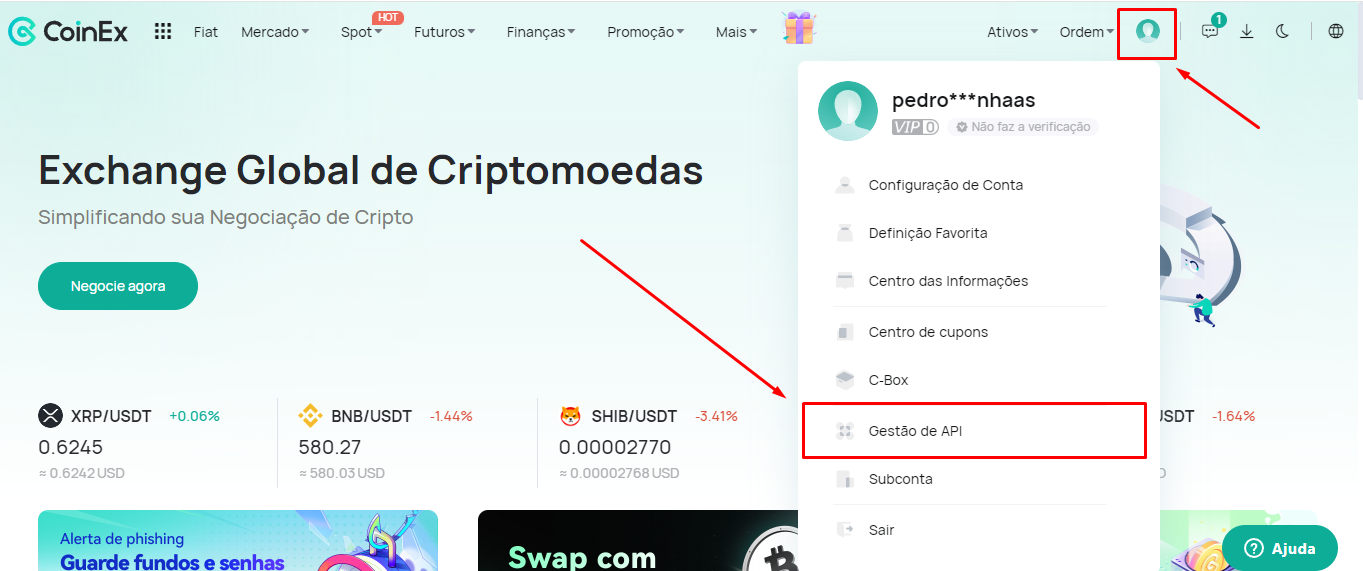
1. Faça login na sua conta da Coinex e no ícone **\[Perfil]** selecione a opção **\[Gestão de API]**.

<figure><img src="https://1904788593-files.gitbook.io/~/files/v0/b/gitbook-x-prod.appspot.com/o/spaces%2FZMtsnqtDvZckvUb1GlUe%2Fuploads%2FKoIPNw3JzbtwgSAcHThZ%2FCoinex%20API%201.png?alt=media&#x26;token=450552b9-ca77-4b45-91ed-07da4683388e" alt=""><figcaption></figcaption></figure>

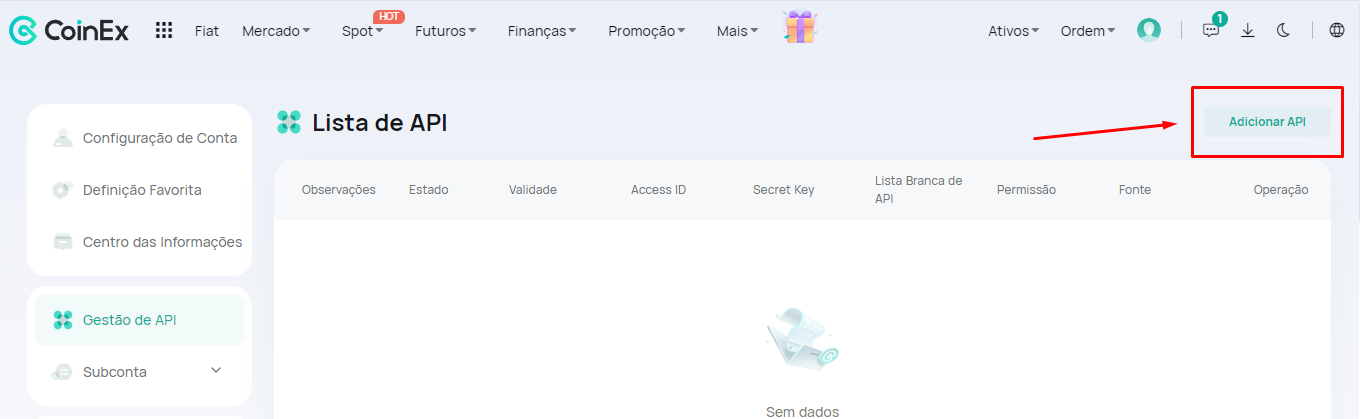
2. No canto superior direito, clique na opção **\[Adicionar API]**.

<figure><img src="https://1904788593-files.gitbook.io/~/files/v0/b/gitbook-x-prod.appspot.com/o/spaces%2FZMtsnqtDvZckvUb1GlUe%2Fuploads%2FdPeGqFwIOdfUG3st4Let%2FCoinex%20API%202.png?alt=media&#x26;token=99fd7fc8-b067-4df9-bf28-9e43788a4c21" alt=""><figcaption></figcaption></figure>

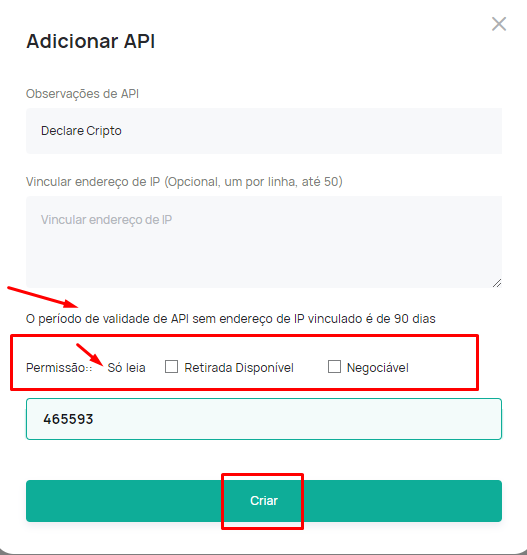
3. Preencha um nome para a sua chave API, e nos campos abaixo, deixe as configurações de permissões da forma padrão, como na imagem abaixo:

<figure><img src="https://1904788593-files.gitbook.io/~/files/v0/b/gitbook-x-prod.appspot.com/o/spaces%2FZMtsnqtDvZckvUb1GlUe%2Fuploads%2FFKxFWmtFQmrkRPrRbPt5%2FCoinex%20API%203.png?alt=media&#x26;token=11e326a1-9e31-42ad-8b6d-96efcbb6d02b" alt=""><figcaption></figcaption></figure>

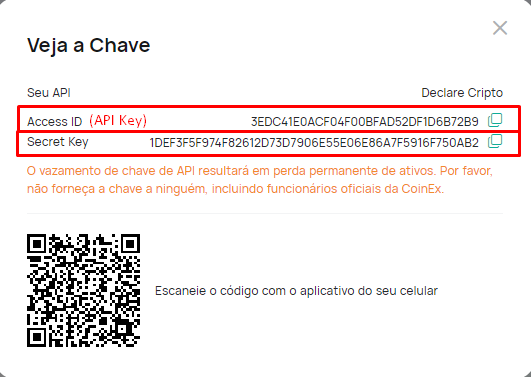
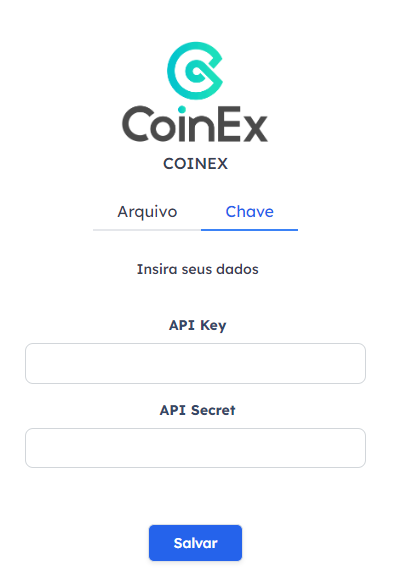
4. Agora, basta copiar as chaves geradas e colar na plataforma Declare Cripto, através da seção "Minhas Carteiras -> Corretoras -> Coinex -> Chave".&#x20;

<figure><img src="https://1904788593-files.gitbook.io/~/files/v0/b/gitbook-x-prod.appspot.com/o/spaces%2FZMtsnqtDvZckvUb1GlUe%2Fuploads%2FjlUy4fhYzCZweyKwCbSn%2FCoinex%20API%204.png?alt=media&#x26;token=c267b9c6-fb3a-4e66-8fce-687ba85ccc73" alt=""><figcaption></figcaption></figure>

<figure><img src="https://1904788593-files.gitbook.io/~/files/v0/b/gitbook-x-prod.appspot.com/o/spaces%2FZMtsnqtDvZckvUb1GlUe%2Fuploads%2FYryq4Q9yCeohQuV7w0ee%2FCoinex%20API%205.png?alt=media&#x26;token=afaa5ca9-badf-4611-a860-d8f2e80333cc" alt=""><figcaption></figcaption></figure>