> For the complete documentation index, see [llms.txt](https://faq.declarecripto.com.br/llms.txt). Markdown versions of documentation pages are available by appending `.md` to page URLs; this page is available as [Markdown](https://faq.declarecripto.com.br/tutoriais-sobre-extracao-de-dados-e-criptomoedas/corretoras-api-e-extratos/foxbit/como-criar-uma-chave-api-na-foxbit.md).
# Como criar uma chave API na FoxBit?
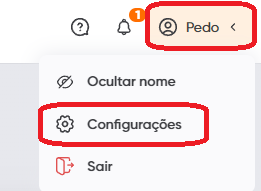
1. Faça o login em sua conta da FoxBit e clique no seu nome no canto superior direito da tela, e em seguida em **\[Configurações]**
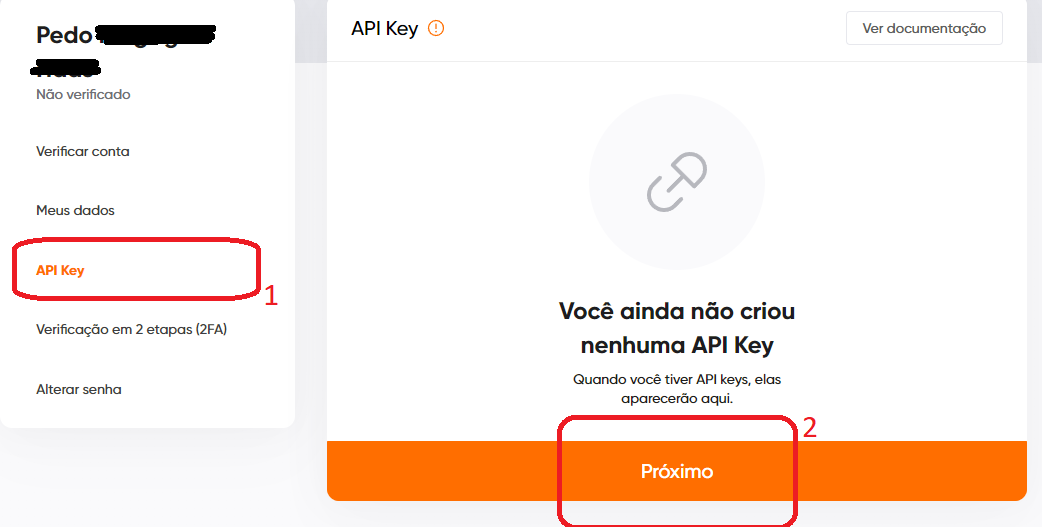
2. Selecione **\[API Key]** no menu á esquerda e clique em **\[Próximo]**
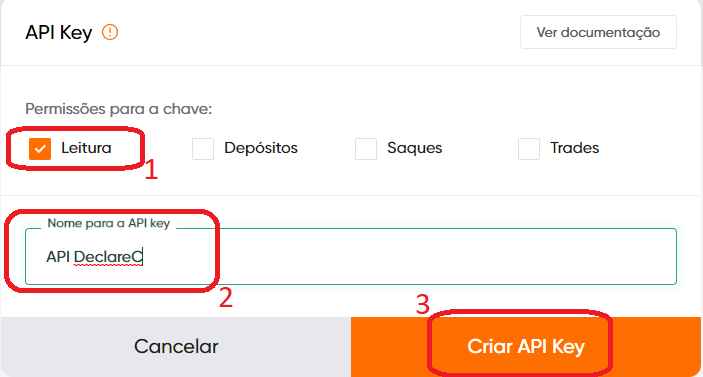
3. Nas *"Permissões para a chave"*, marque apenas a opção **\[Leitura].** Em seguida escolha um nome para sua chave API e clique em **\[Criar Chave API]**
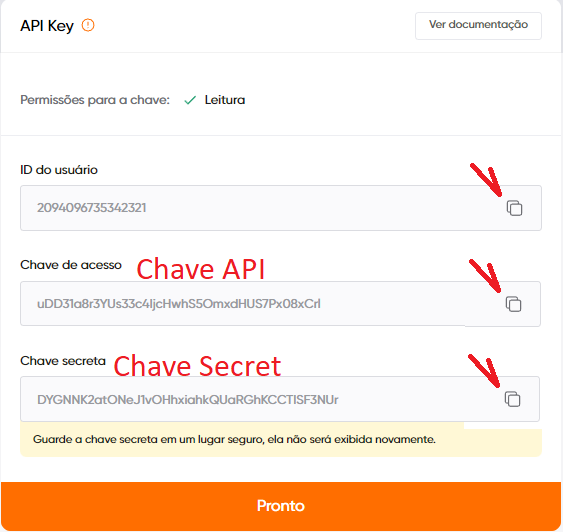
4. Sua chave API foi criada! Agora é só copiar seu ID do usuário, Chave API e Chave Secret, e enviar cada um deles na plataforma Declare Cripto!\
**IMPORTANTE:** *Lembre de copiar sua Chave Secret antes de fechar essa tela, pois ela não aparecerá novamente!*
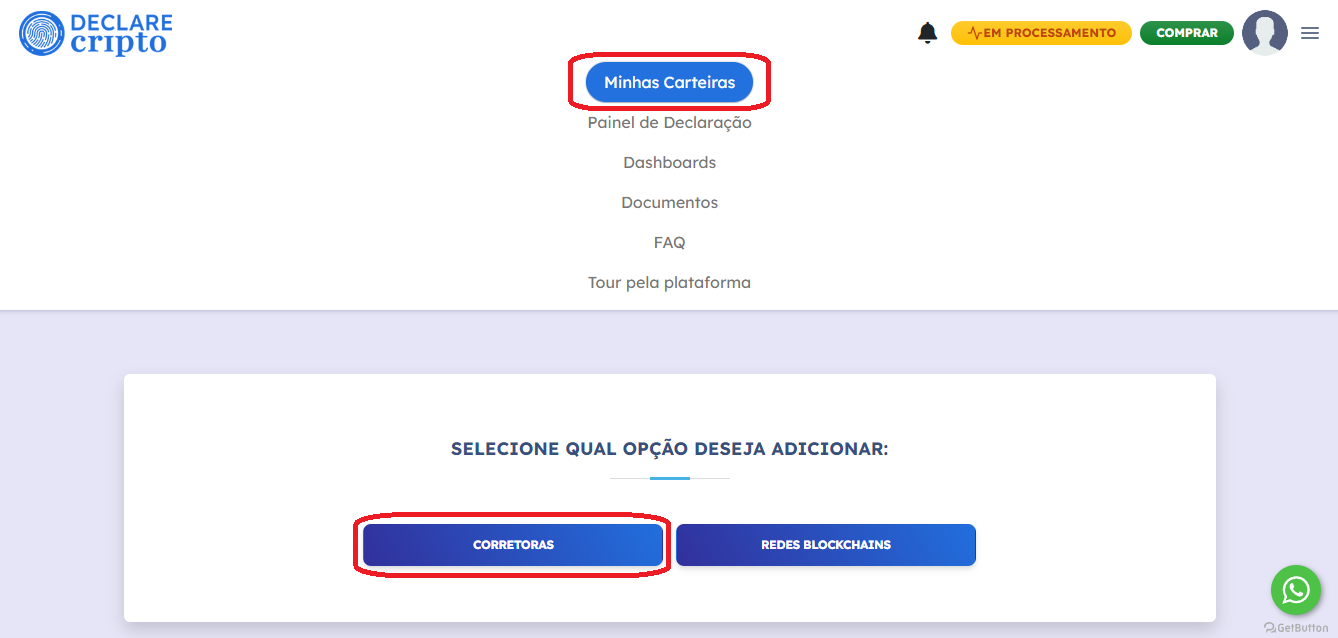
5. Para cadastrar sua API na nossa plataforma, faça login na sua conta e selecione as seções **\[Minhas Carteiras] - \[Corretoras]**
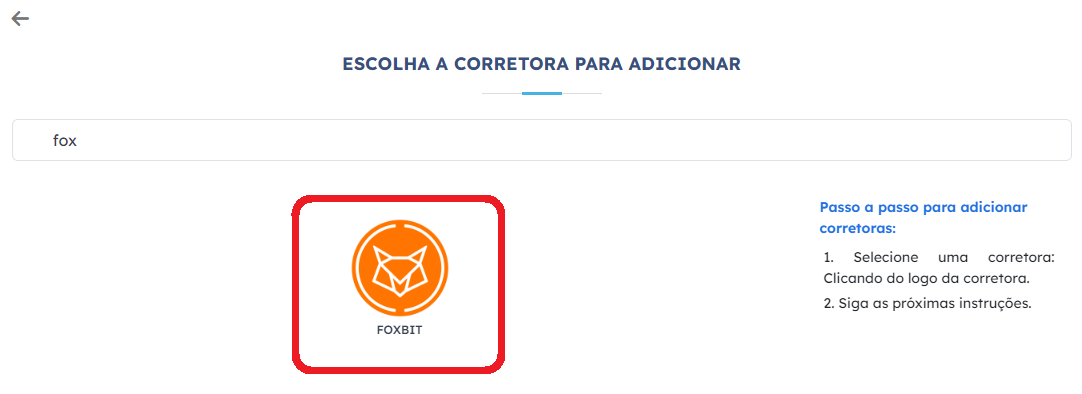
6. Selecione a corretora FoxBit
7. Preencha os campos com seu ID de usuário, Chave API, e Chave Secret, depois clique em **\[Salvar]**