> For the complete documentation index, see [llms.txt](https://faq.declarecripto.com.br/llms.txt). Markdown versions of documentation pages are available by appending `.md` to page URLs; this page is available as [Markdown](https://faq.declarecripto.com.br/tutoriais-sobre-extracao-de-dados-e-criptomoedas/corretoras-api-e-extratos/gate.io/como-criar-uma-chave-api-na-gate.io-opcional.md).
# Como criar uma chave API na Gate.io (Opcional)
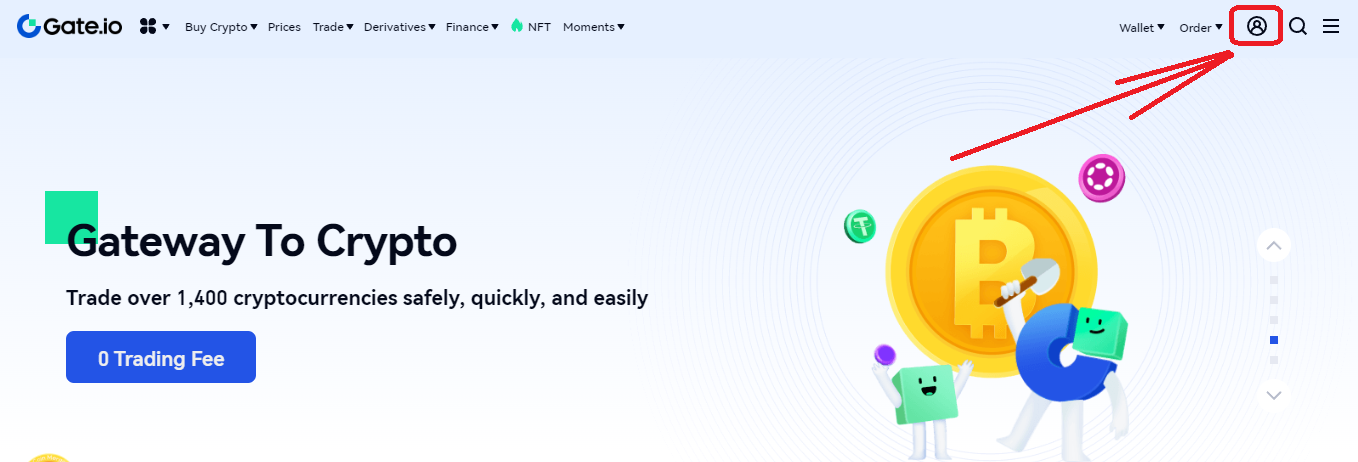
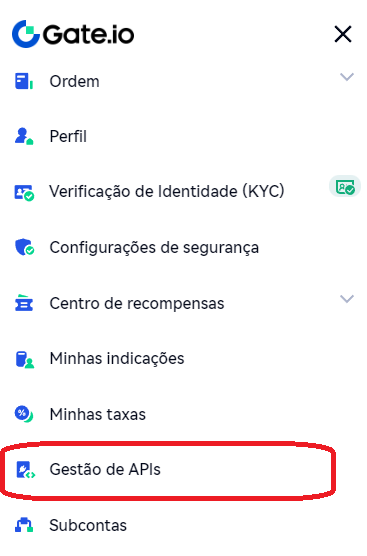
1. Faça login na sua conta da Gate.io e, no canto superior direito, clique no ícone **\[Perfil] -> \[Gestão de API]**.
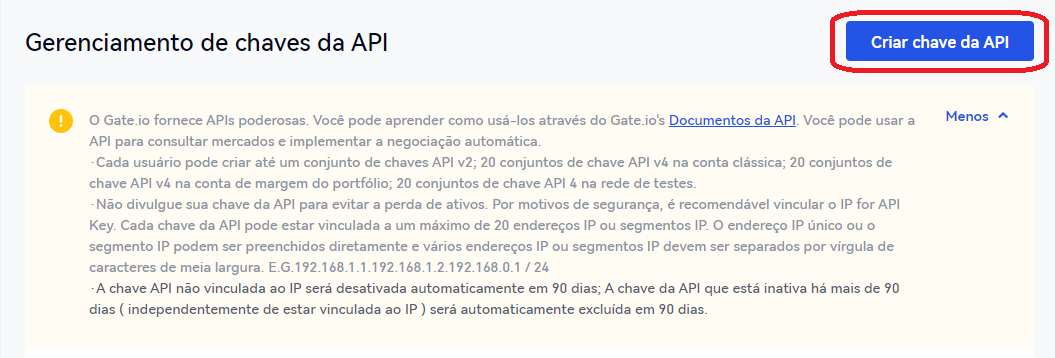
2. Na aba Gerenciamento de chaves da API, clique em **\[Criar chave da API]**.
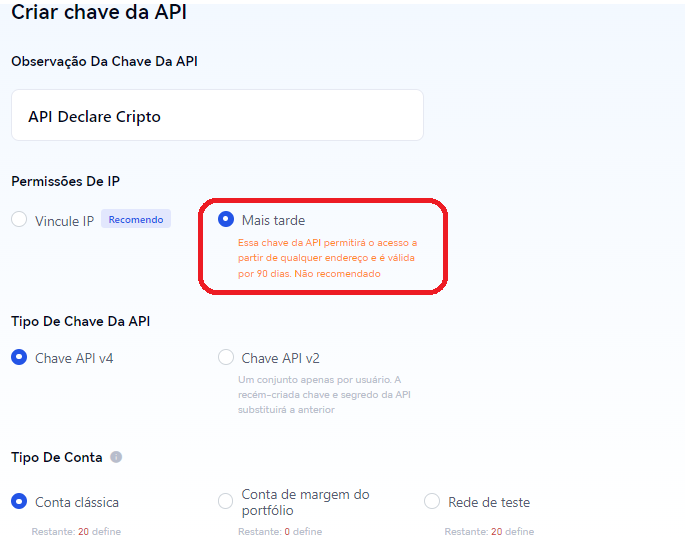
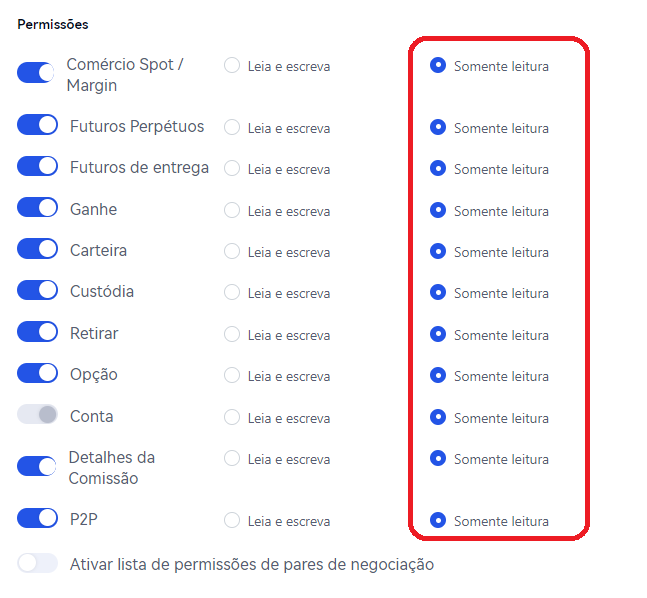
3. Siga as orientações abaixo para configurar a sua chave API para a plataforma Declare Cripto.\
*- Nas opções de "permissões" verifique se todas estão selecionadas para "apenas leitura".*
4. Depois de criada, basta copiar e colar as informações de Chave API e Secret Key na sua conta da plataforma Declare Cripto, através de seção "Minhas Carteiras -> Corretoras -> Gate.io -> Chave".