> For the complete documentation index, see [llms.txt](https://faq.declarecripto.com.br/llms.txt). Markdown versions of documentation pages are available by appending `.md` to page URLs; this page is available as [Markdown](https://faq.declarecripto.com.br/tutoriais-sobre-extracao-de-dados-e-criptomoedas/corretoras-api-e-extratos/kucoin/como-emitir-meu-historico-de-transacoes-na-kucoin-opcional.md).
# Como emitir meu histórico de transações na Kucoin? (Opcional)
Para que possamos realizar os cálculos e apurações do seus investimentos em criptoativos realizados através da corretora Kucoin, siga o passo-a-passo abaixo:
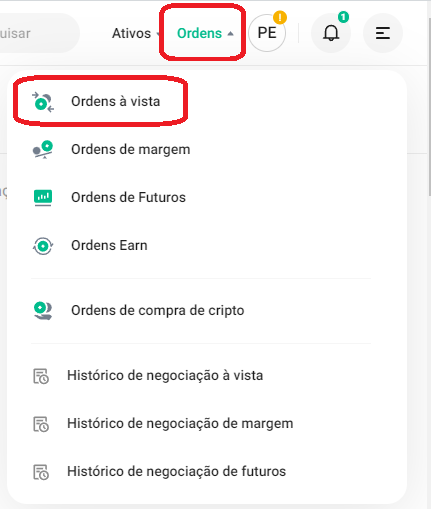
1. No site da corretora, clique em **\[Ordens] - \[Ordens à vista]**
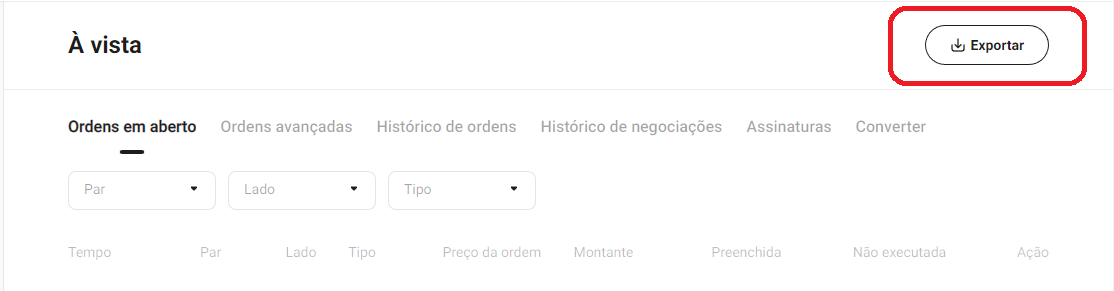
2. Em seguida, clique em **\[Exportar]** no lado direito da tela
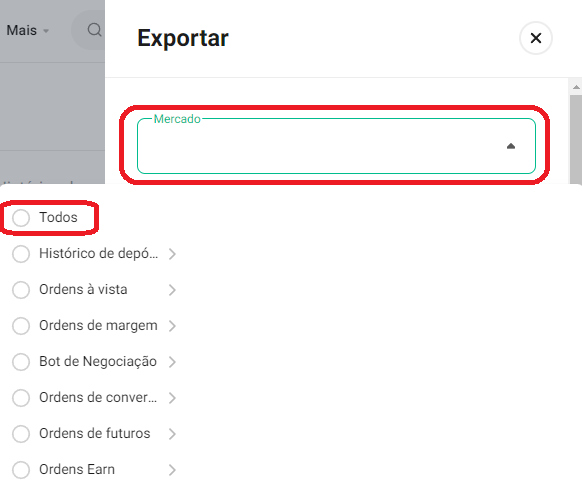
3. Na janela *Exportar,* selecione **\[Todos]** no campo *Mercado*
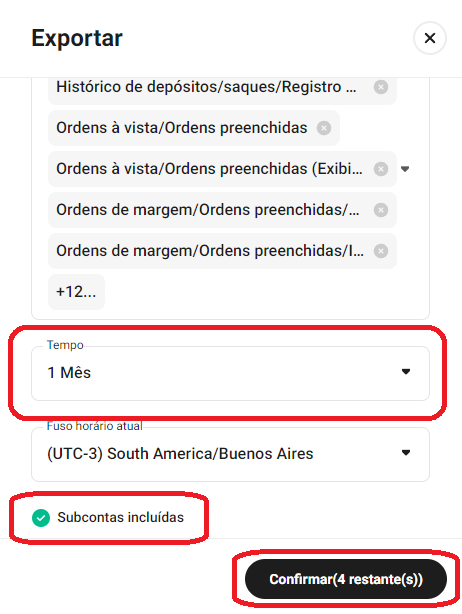
4. Ainda na janela *Exportar* marque a opção **\[Subcontas incluídas]** e verifique se o tipo do arquivo está selecionado como **\[.csv]**\
*Aqui você também pode selecionar o período do arquivo clicando em **\[Tempo]***
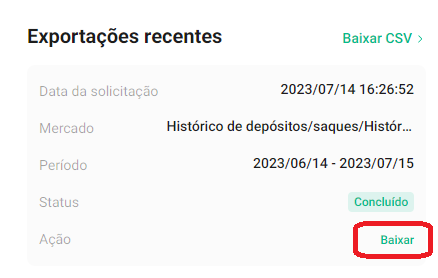
5. Depois que o Status for alterado de "Gerando" para "Concluído", clique na ação **\[Baixar]**
Após realizar os procedimentos acima, envie os extratos em CSV na seção "Arquivos de Corretora" da nossa plataforma.