> For the complete documentation index, see [llms.txt](https://faq.declarecripto.com.br/llms.txt). Markdown versions of documentation pages are available by appending `.md` to page URLs; this page is available as [Markdown](https://faq.declarecripto.com.br/tutoriais-sobre-extracao-de-dados-e-criptomoedas/corretoras-api-e-extratos/okx-okex/como-criar-uma-chave-api-na-okx.md).
# Como criar uma chave API na OKX
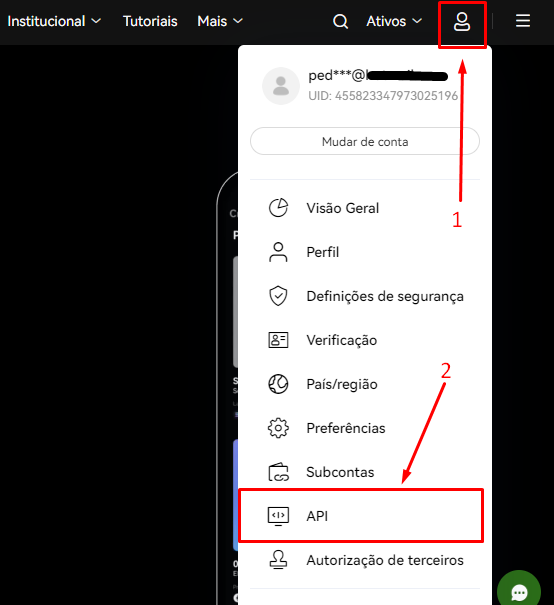
1. Faça login na sua conta da OKX, clique no ícone **\[Perfil]** e selecione a opção **\[API].**
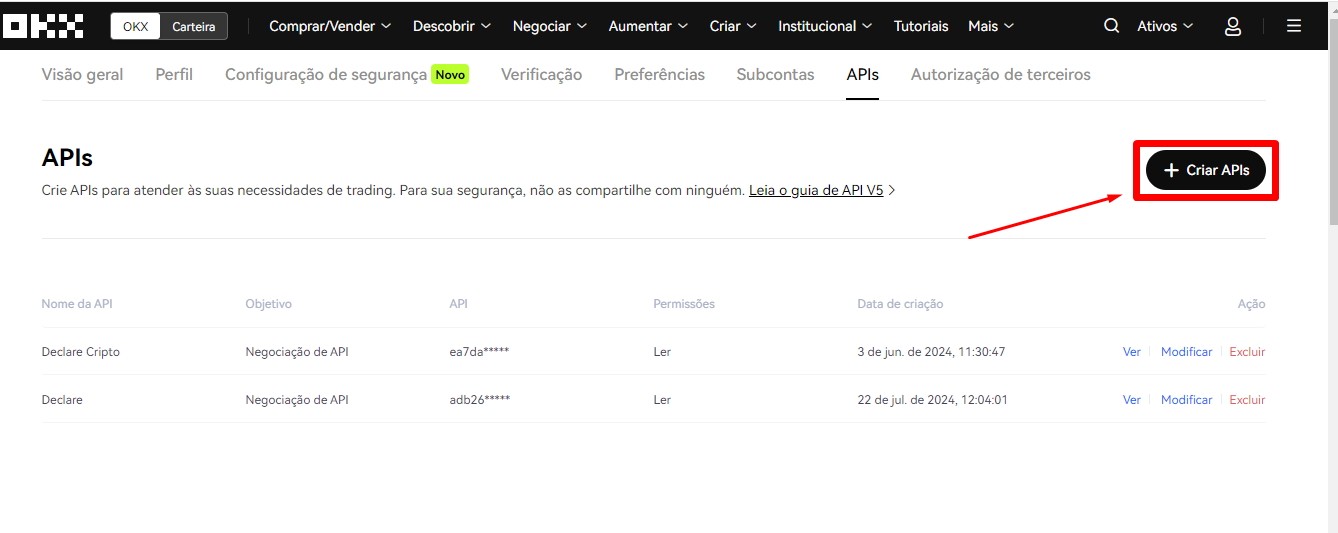
2. Após abrir o menu da API, clique em **\[+Criar APIs].**
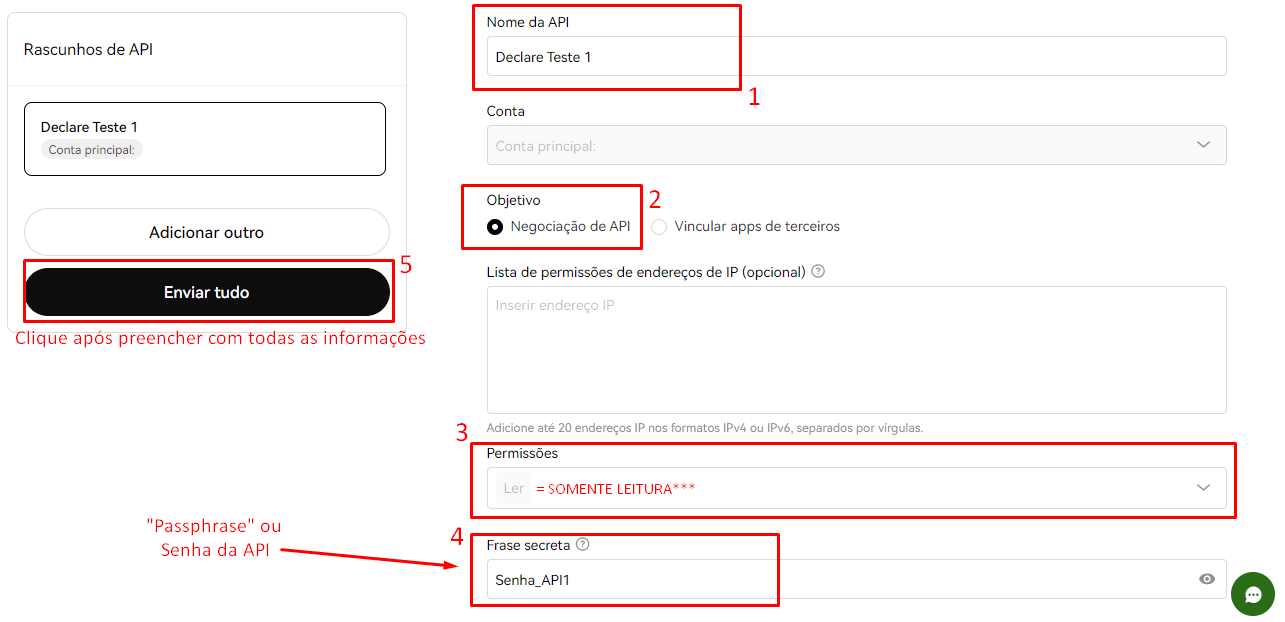
3. Para configurar a sua chave API, basta seguir as orientações na imagem abaixo:\
*- Lembrando que a API da OKX possui uma senha da API (passphrase) que precisa ser informada no cadastro da chave também, **não utilize uma senha pessoal!***
4. Após clicar em **\[Enviar tudo],** a sua API será gerada com sucesso!\
Agora o próximo passo é